Staying in touch with home, posting photos from the deck as you sail past a temple lit up at night, or simply checking a map between excursions all depend on one thing: how you plan to get online in Egypt. Connectivity on a Nile cruise is generally better than travelers expect, but it has its own quirks worth understanding before you leave. This guide covers SIM cards, onboard WiFi, and practical tips for staying connected between Cairo, Luxor, and Aswan.
“Have a question before you book? Send us a message anytime.”
Getting a Local SIM Card
The simplest and most reliable way to stay connected in Egypt is a local prepaid SIM card, available from Egypt’s main mobile carriers at kiosks in the arrivals hall of Cairo International Airport, as well as at shops throughout the country. You will need your passport to register a SIM, which is standard practice in Egypt. Data packages are generally inexpensive by international standards and cover a generous amount of data for a typical two week trip. Coverage from the major carriers is solid in Cairo, Luxor, and Aswan, and reasonably good along most of the Nile corridor between the two, though it can dip in more remote stretches of river or deep inside some temple complexes built from thick stone.
If you would rather not deal with a physical SIM swap, an eSIM is increasingly available for Egypt through several international eSIM providers, letting you activate a data plan before you even land, provided your phone supports eSIM technology.
WiFi Onboard Your Nile Cruise Ship
Most Nile cruise ships, particularly deluxe and luxury vessels, offer WiFi in common areas such as the lounge and reception, and increasingly in cabins as well. It is worth setting expectations correctly: onboard WiFi on the Nile is generally adequate for messaging, email, and light browsing, but streaming video or making video calls can be inconsistent, especially while the ship is moving between cities rather than moored. This has less to do with the individual ship and more to do with the nature of connecting a moving vessel on a river corridor to satellite or cellular backhaul. Older or more budget-oriented ships may not offer WiFi at all, or may charge for it, so it is worth checking this specifically when comparing cruise packages if staying connected onboard matters to you.
Signal at Temples and Excursion Sites
Mobile signal at major temple sites like Karnak, Luxor Temple, and Philae is generally reliable, since these sites see heavy tourist traffic and sit close to towns. More remote sites, including some of the Lake Nasser temples near Abu Simbel and smaller stops along a Dahabiya route, may have weaker or no signal at all. This is rarely an inconvenience in practice, since excursions are guided and structured, but it is worth downloading offline maps of your route in advance and letting family know that you may be unreachable for stretches of a few hours during temple visits.
Power Banks and Charging
Egypt uses the European-style two-pin round plug (Type C and F), running on 220 volts, so travelers from the UK, US, Australia, and other regions using different plug types will need an adapter. Most cabins have at least one outlet, though multi-device travelers often find a small power strip or multi-port USB charger useful, since outlets can be limited on older ships. A power bank is also worth packing for long excursion days, particularly if you are relying on your phone for photos and navigation and do not want to worry about battery life mid-temple-visit.
A Realistic Approach to Staying Connected
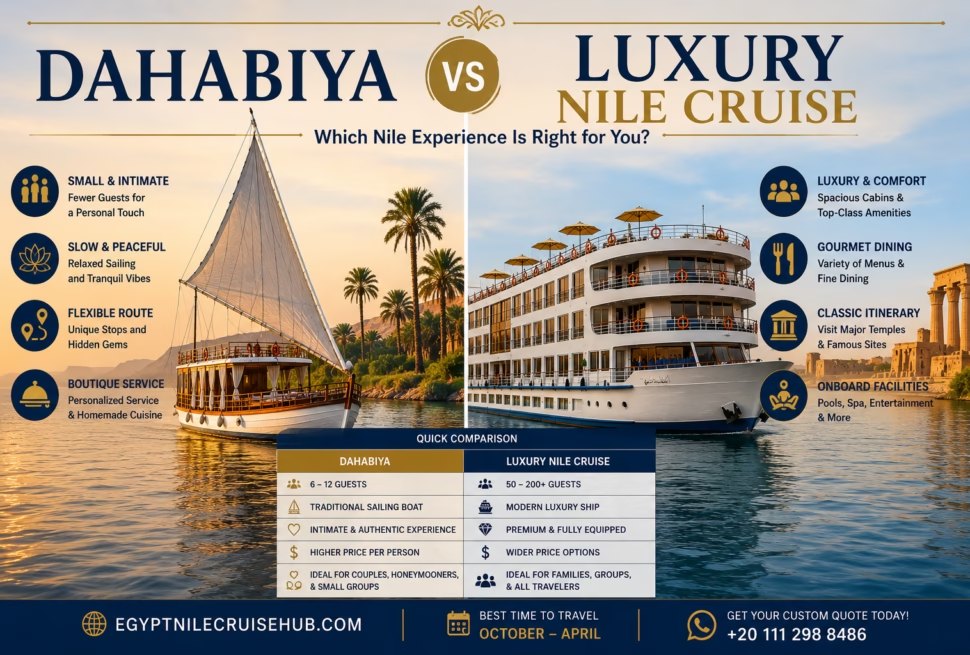
Many travelers find that a Nile cruise is actually a welcome, if temporary, break from constant connectivity, and lean into that rather than fighting it. A practical middle ground is picking up a local SIM or eSIM for the reliable moments you do need to be online, treating onboard WiFi as a bonus rather than a guarantee, and letting people know in advance that response times may be slower than usual during the cruise portion of the trip. If you are choosing between cruise operators, our guide to luxury, deluxe, and ultra luxury Nile cruises is a useful place to compare onboard amenities, including connectivity, side by side.
Buying a SIM Card Step by Step
The process is quick but there are a few things worth knowing before you stand at the counter.
You will need your physical passport, not a photocopy, because SIM registration in Egypt is tied to identity documents. The vendor scans or records your passport details as part of activation. Bring cash, as some airport kiosks prefer it, though most accept cards.
Ask the vendor to activate the SIM and confirm data is working before you walk away. This is the single most useful thing you can do, because resolving an activation problem at the counter takes two minutes while resolving it later from a moving cruise ship is considerably harder. Test by loading a webpage on mobile data with WiFi switched off.
Keep your original home SIM somewhere safe. The tiny plastic tray tool is easy to lose, so many travellers store the original SIM taped inside their passport cover or in a zipped pocket of their day bag rather than loose.
eSIM: The Simpler Alternative
If your phone supports eSIM, this is often the easier route. You buy a data plan online before departure, receive a QR code by email, scan it to install the profile, and activate it on landing. There is no counter to find, no passport registration queue, and no physical SIM to swap or lose.
The trade off is cost, as eSIM data plans sold by international providers are typically more expensive per gigabyte than a local prepaid SIM bought in Egypt. For a one or two week trip with moderate usage, the convenience often outweighs the difference. For longer stays or heavy data use, a local SIM works out better value.
Install the eSIM profile before you leave home while you still have reliable WiFi, but do not activate the plan until you arrive, since most plans begin counting validity from activation rather than purchase.
Why Onboard WiFi Behaves the Way It Does
Understanding why ship WiFi is inconsistent helps set realistic expectations and stops it feeling like a fault with your particular cruise.
A Nile cruise ship is a moving vessel drawing its internet from cellular networks along the river corridor. When moored at Luxor or Aswan, the ship sits close to strong urban coverage and speeds are usually decent. When sailing between cities, particularly through less populated stretches around Esna, Edfu and Kom Ombo, the ship is passing through areas with thinner coverage, and a hundred passengers sharing that connection at once compounds the problem.
This is why the practical advice is to do anything bandwidth heavy while moored rather than while sailing. Upload your photos in the evening at Aswan, not mid afternoon between locks.
Realistic Data Use on a Cruise
Most travellers use far less data than they expect on a Nile cruise, simply because the days are full. Messaging apps, email, maps and occasional browsing consume very little. What consumes data is video: streaming, video calls, and uploading high resolution photos or clips to social media.
A few habits reduce consumption significantly without much sacrifice. Download offline maps of Luxor, Aswan and Cairo before you travel. Set photo backup to WiFi only rather than mobile data. Download any podcasts, books or films you want for the flight and quiet afternoons in advance. Switch off automatic app updates over mobile data.
Signal at Specific Sites
Coverage varies more than most visitors anticipate, and it is worth knowing where you are likely to lose signal.
- Karnak and Luxor Temple: generally good, both sit within Luxor city
- Valley of the Kings: reasonable in the open valley, but nothing inside the tombs themselves
- Edfu and Kom Ombo: usually workable, both are close to towns
- Philae Temple: variable, as the temple sits on an island reached by motorboat
- Abu Simbel: patchy, and the site is remote
- Lake Nasser temples: expect little to no coverage on much of this route
- Inside tombs and thick stone chambers: no signal anywhere
None of this causes practical difficulty, because excursions are guided and you are moving as a group. It matters mainly for setting expectations with people at home about when you will be reachable.
Keeping Devices Charged
Egypt uses the European two pin round plug, Type C and F, running at 220 volts. Travellers from the UK, US, Australia, Canada and much of Asia will need an adapter. Most modern phone and laptop chargers handle 220 volts natively, but check the small print on anything with a heating element such as hair styling tools, since these sometimes require a voltage converter rather than just a plug adapter.
Cabin outlets are often limited, sometimes to a single socket, which becomes a problem when two people are charging phones, a camera battery and a tablet. A small multi port USB charger or a compact travel power strip solves this and takes almost no luggage space.
A power bank is genuinely useful rather than optional on this trip. Excursion mornings can run five or six hours, and if you are using your phone for photography, navigation and translation, battery drains faster than usual. Heat also reduces battery performance, which catches people out in summer.
Staying Reachable in an Emergency
Before departure, share your cruise operator’s contact details and your ship name with someone at home. If they need to reach you urgently and your phone is out of signal, the operator can pass a message to the vessel.
Save your ship’s reception number and your guide’s number in your phone on the first day. If you become separated from your group at a busy site like Karnak, this is far more useful than trying to describe your location to someone who does not know the site.
Should You Disconnect Instead?
It is worth considering how connected you actually want to be. A Nile cruise has a particular rhythm: early mornings at temples, long afternoons watching the riverbank pass, evenings on deck. Many travellers find that the enforced gaps in connectivity are among the more restorative parts of the trip rather than an inconvenience to be engineered away.
A reasonable middle path is to arrange reliable connectivity so that it is available when you want it, then choose not to use it much. Tell people at home in advance that replies may be slow, set expectations before you leave rather than apologising from the ship, and treat onboard WiFi as a bonus rather than something to be frustrated by when it falters between Edfu and Kom Ombo.
“Not sure which cruise to choose? Tell us your dates and budget.”
Not sure which Nile cruise is right for you?
Answer a few quick questions and we will match you with the best ships for your trip.